
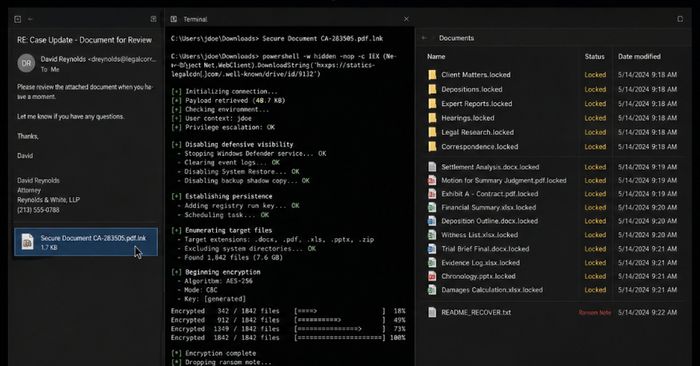
Security researchers at Blackpoint Cyber have uncovered a new all-in-one malware toolkit called Avalon that can steal passwords, move through connected computers on a network, and ultimately lock all your files with a ransomware module called CrownX. The attack starts with a convincing phishing email disguised as a legal notice or court document. If you open the attachment — a password-protected archive on Proton Drive — it quietly triggers a chain of hidden programs that disable your computer’s security monitoring before encrypting your files and presenting a ransom demand with a countdown timer.
What makes Avalon particularly dangerous is how thoroughly it covers its tracks. It disables Windows Event Tracing (which security tools rely on for detection), deletes Shadow Copy backups (which Windows uses for recovery), and cleans up after itself to hinder forensic investigation. CrownX is also designed to recognize and evade most major antivirus tools, including Microsoft Defender, CrowdStrike, and SentinelOne. The good news: the entire attack depends on you opening an unsolicited email and downloading the attachment. If you didn’t take those steps, you are not at risk from this particular campaign.
How to check if you’re affected
Affected devices are Windows computers. If you recently received an unexpected email claiming to be a legal notice, lawsuit, or court document, and you downloaded and opened a file from a Proton Drive link, check your files immediately:
- Look for documents, photos, or spreadsheets that won’t open, show a new strange file extension, or display a ransom payment message.
- Run a full scan with Windows Defender or your preferred antivirus tool. Affected versions include any Windows PC that has not received the latest Microsoft Defender signature update — open Windows Security > Virus & threat protection > Check for updates to refresh your definitions.
- If you find encrypted files, disconnect from your network immediately and contact a professional before attempting any recovery steps.